dayTripper
Installing the STM32 DFU Driver
First, make sure you have followed the procedure of holding down the DFU button while plugging in the device.
Once plugged in, you can release the button. The lights and screen should stay off.
If nothing shows up in STM32 DfuSe tool, you probably need to install a driver.
Driver Install Instructions
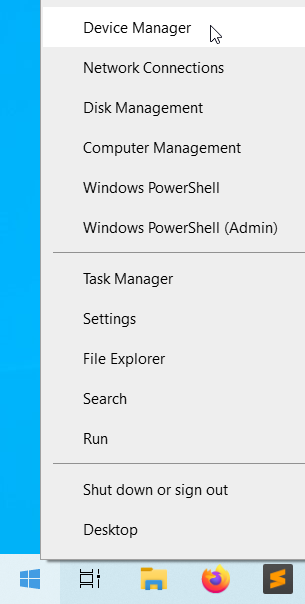
Right click on the start button, then select Device Manager:
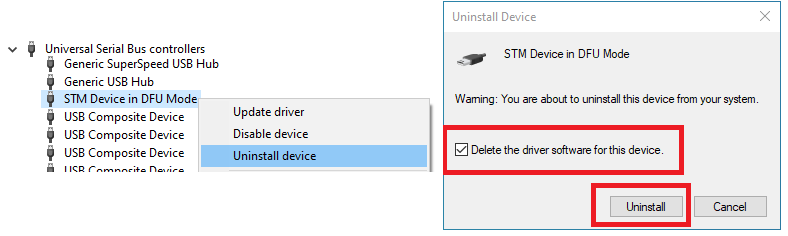
Expand the node for USB devices. If you see a device with a similar name to STM32 Bootloader:
Right click, select Uninstall Device, check Delete driver software box, then press Uninstall.
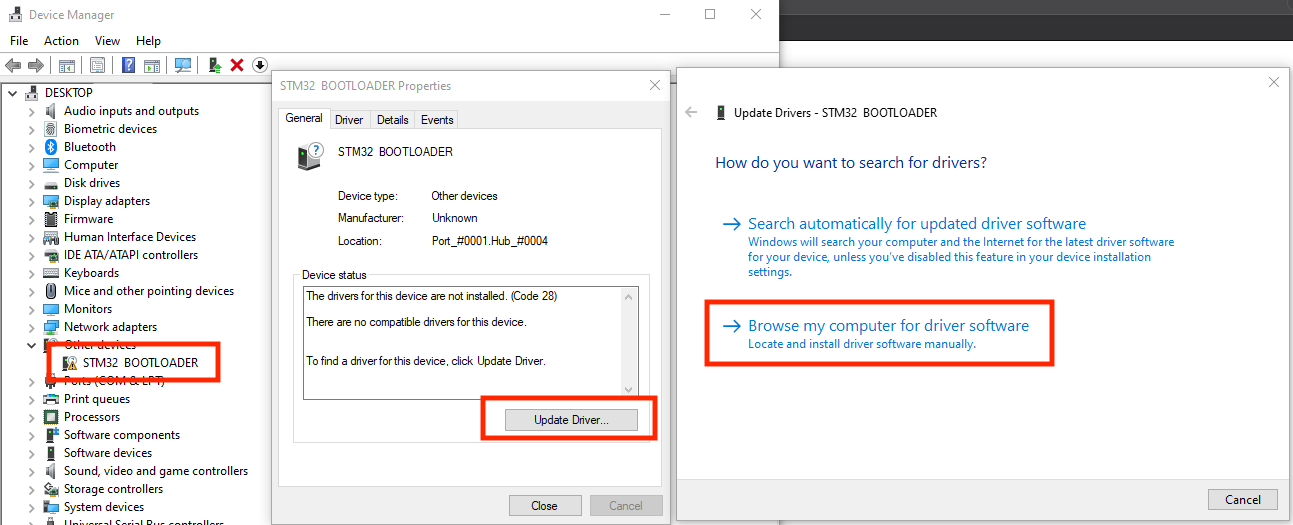
Now you should have a STM32 BOOTLOADER device with yellow triangle.
Double click on it, select Update Driver..., then select Browse my computer for driver software
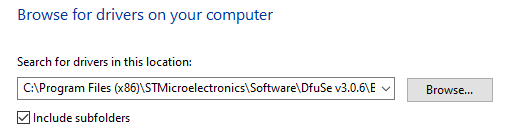
Press Browse..., and select the entire folder below:
C:\Program Files (x86)\STMicroelectronics\Software\DfuSe v3.0.6\Bin\Driver\Win10
Windows should find and install the driver automatically.
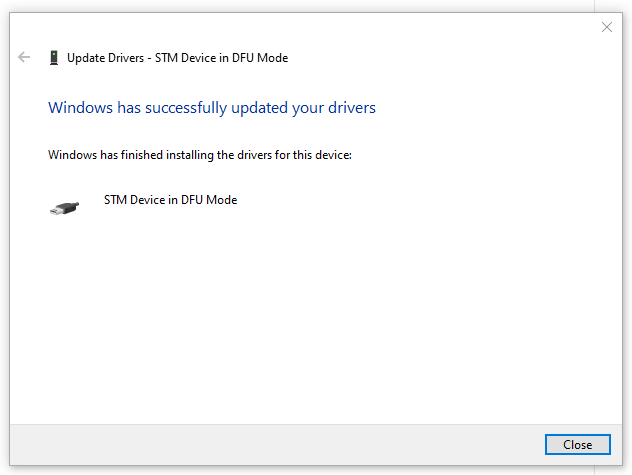
After it’s done, you can continue the guide as usual.